
How to check if the device supports Vulkan
Press the shortcut key WIN+R, enter cmd Enter to run the command prompt. 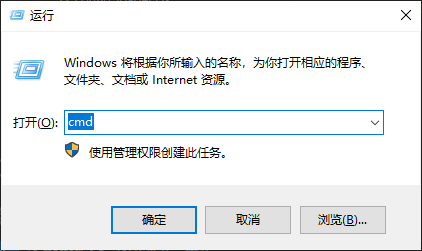
Enter the command in the command line and execute:
vulkaninfo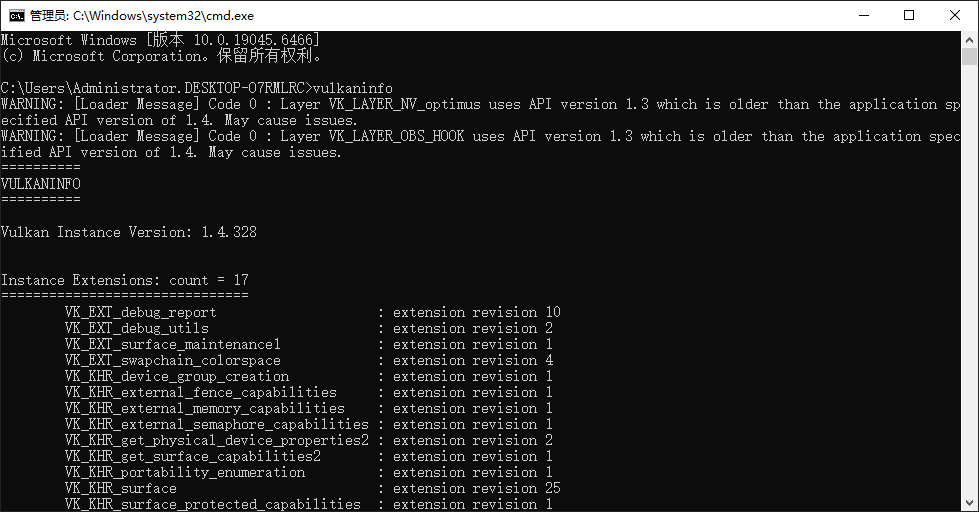
The output similar to the above indicates that the current setting supports Vulkan, which means that the GPU acceleration function can be enabled. If the output is "not found vulkaninfo...", it means that the current device does not support enabling GPU acceleration function.
TIP
Modern computers generally support Vulkan functionality. If your device cannot detect it, please update the latest version of the graphics driver before trying again. If your device outputs Vulkan information but still fails after enabling GPU acceleration, it means that the Vulkan version of your device is too low. Please update the latest version of the graphics driver before trying again.